Admiral
v2.0The developer workspace. Reimagined.
A native macOS workspace that rethinks how you organize work and which agents you can run. Branch-scoped workspaces, automated agent flows, Claude and Codex side by side.
 Download for macOS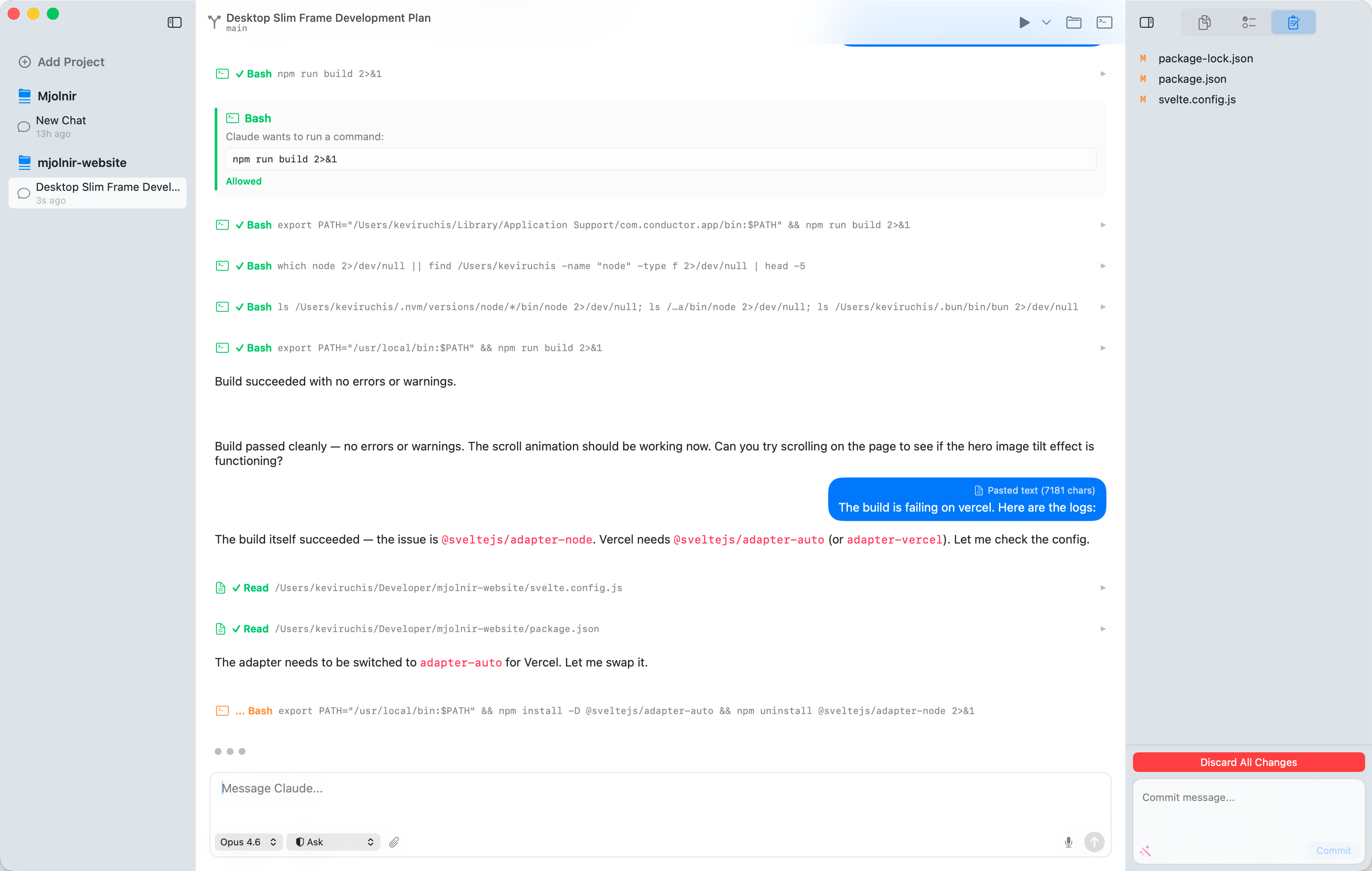
Workflow
Organize the work. Automate the loop.
Workspaces hold every chat, terminal, and PR for a single task. Automation flows run Implementer and Reviewer subagents through quality gates. Planning, code, and shipping all live in one place.

Workspaces. Branch-scoped containers that group every chat, terminal, and PR for one task. Parallel work never collides on a single branch again.

Automation flows. A Coordinator chat spawns Implementer and Reviewer subagents. Define the steps once, then kick off runs from any issue’s inspector.

Quality gates. Scripted shell checks run between flow phases. Failed gates feed their output back into the Coordinator to drive the next iteration.

Claude and Codex. Picked per tab. Two agent engines, one workspace. Each chat tab remembers its agent and model. Switch without leaving the conversation.

Kanban planner. Issues with checklists, priorities, milestones, and labels. Link an issue to a workspace and pull its full context into chat with @task.

PRs without leaving Admiral. Push, create, and link pull requests from the inspector. AI fills the title and description; status refreshes automatically.
Design
Built for macOS. Designed for developers.
Admiral is designed from the ground up as a native Swift app. Every interaction feels fast, familiar, and focused. So you can focus on building, not managing tools.

Pure Mac. Built on AppKit, the same framework behind Apple’s own apps. No web views. No Electron. Just native performance that feels exactly right.
See everything. At a glance. A multi-panel workspace puts your projects, conversations, and code side by side. No tab hunting. No context switching.

It keeps working. Even when you don’t. AI agents run in the background while you keep working. A status indicator tells you when they’re done. Context stays where you left it.

Dark mode. For real this time. Every color hand-tuned for contrast. Every surface designed for late nights. Chat surfaces even adopt Liquid Glass on macOS 26+. It isn’t a filter, it’s a second skin.

Typography that breathes. Monospaced code, proportional prose, and syntax highlights balanced for readability. Every character placed with care so long sessions never feel heavy.

Your Mac. Your rules. Native shortcuts, menu bar integration, and window behavior that respects how macOS actually works. Muscle memory isn’t optional.
AI Engines
AI agents. Built into your workflow.
The best AI coding agents, integrated directly into your workspace. Switch between them, run them in parallel, and stay in control of every session.

Claude Code. Built in. Deep reasoning, massive refactors, and full-project understanding. The kind of AI that reads your entire codebase and actually gets it.
Codex. Right alongside Claude. Run the Codex CLI side-by-side with Claude through a unified agent layer. Pick the agent per chat tab. The right CLI launches with the right config dir.

Sign in and go. Use your existing Claude Code account. No API keys to manage, no tokens to rotate. Your workspace is ready the moment you are.

Know what’s running. Always. Which model, which context, which files. Admiral makes it obvious so you never have to wonder what’s happening behind the scenes.
Parallel sessions. Zero collisions. Run separate AI agents across different parts of your project at the same time. Each gets its own session, its own context, its own thread.

The right model for the moment. Some problems need deep analysis. Others need quick answers. Switch models without leaving your workspace.
Dev Tools
Everything you need. Nothing you don’t.
Git, terminal, diffs, and file browsing built directly into your workspace. No plugins. No setup. Just the tools you already use, exactly where you need them.
Git. Front and center. Stage, commit, and push without leaving the window. Side-by-side diffs show exactly what AI changed, so you approve with confidence, not faith.

Terminal. Built right in. A native terminal panel with full ANSI support. Run builds, tests, and scripts inches from your conversation.

Code review. Built in. Every AI-suggested edit rendered as a clean, visual diff. Review changes line by line before they land.

Your project. Always visible. Browse your project tree, see modified files at a glance, and preview changes without switching context.
Worktrees. Per session. Isolate branches for each AI session so experiments never collide. Merge when you’re ready, discard when you’re not.

AI-generated commits. Admiral drafts conventional commit messages from your staged changes. One click to accept, edit, or start over.
Security
Your workspace. Your data. No exceptions.
Everything lives locally on your Mac. API keys in the Keychain. No cloud sync, no telemetry, no middlemen. Admiral works for you and only you.

Local-first. Always. Conversations, project data, and session history live on your machine. No cloud sync. No surprises.

Keychain-native. API keys are stored in the macOS Keychain, the same encrypted vault your passwords and certificates already trust.

Your keys. Your account. Admiral connects directly to your API provider. No middleman, no proxy, no shared credentials passing through our servers.
Review before it runs. Every file edit, every terminal command, every action AI wants to take surfaces in a floating permission panel for your approval. Or authorize all at once. Your call.

Private by design. No usage data, no behavior tracking, no anonymous metrics. Your workspace doesn’t phone home.

Open permission model. Grant access per session, per action, or all at once. Permissions are visible, adjustable, and never assumed.
Why Native?
Native to macOS. By design.
A real workspace deserves a real Mac app. No browser engine, no runtime overhead. Just native performance on every click.

Speed you can feel. Instant launches, zero lag on input, and buttery animations. When your tool is native, every millisecond shows.

Less memory. More headroom. No browser engine running underneath. Admiral uses a fraction of the memory so your machine stays free for builds, tests, and the work that matters.

Offline by default. Your workspace never depends on a server. Admiral launches, navigates, and manages your projects whether you’re connected or not.

System-level integration. Notifications, Spotlight, file associations, and drag-and-drop that work because they’re built on the same APIs as every other Mac app you love.

Built to age well. New macOS features arrive on day one. Universal binary. Native Apple Silicon. No runtime translation, no compatibility layers, no waiting.

Your battery will thank you. No background browser chewing through cycles. Admiral is lightweight, energy-efficient, and designed to disappear from Activity Monitor.